
Common Zoho ERP Implementation
Challenges and Solutions
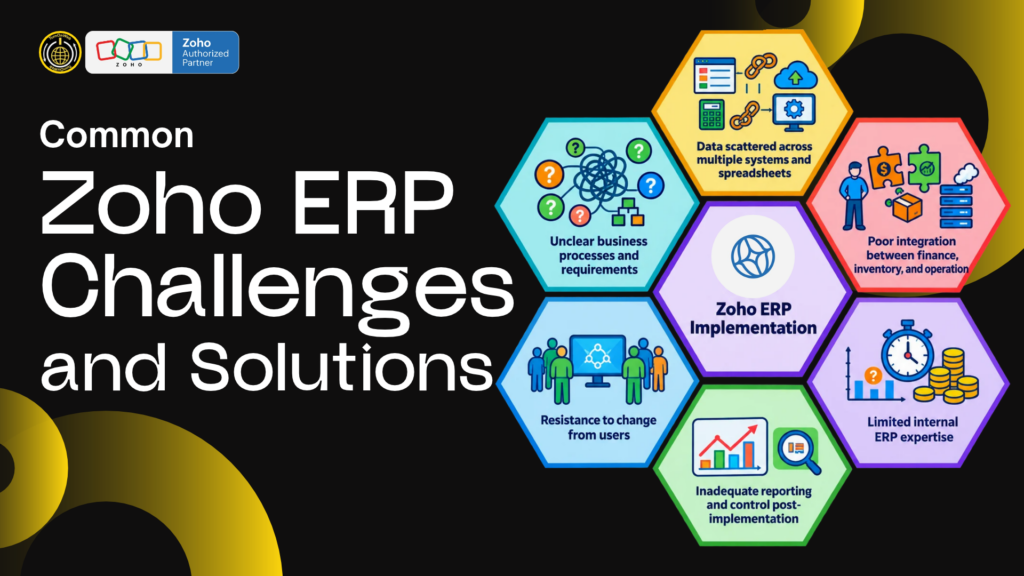
ERP projects rarely go off track because the software has no buttons. They struggle when business processes are unclear, data is unreliable, users are not involved or the scope grows faster than the team can test it. Understanding Zoho ERP implementation challenges and solutions helps owners plan for the work that happens around configuration: decisions, data, training, testing and support.
“Zoho ERP” can refer to several connected Zoho apps, and that creates both flexibility and design choices. A small business might combine finance, inventory, CRM, analytics and custom workflows. The right setup depends on the work to be managed. For manufacturing, confirm whether standard inventory assemblies are sufficient or whether the business needs dedicated production planning, work orders, multi-level BOMs or shop-floor functionality.
Challenge 1: Treating ERP as a software installation
Why it happens: Owners may expect the implementation partner to “set up ERP” without first documenting current workflows or deciding who approves changes. The partner then has to make assumptions, and users receive a system that mirrors neither policy nor reality.
Solution: Start with process workshops and an agreed scope. Map the steps, roles, decisions and exceptions for each priority workflow. Write acceptance criteria such as “a warehouse user can receive a partial purchase order and the on-hand quantity updates in the correct location.” Assign a business owner for each process and record decisions in a shared log.
Challenge 2: Choosing apps before requirements
Why it happens: Teams see a product demo and assume a feature covers their full requirement. Similar words can describe very different things: tracking stock is not the same as scheduling production, and an assembly is not necessarily a complete MRP or manufacturing execution process.
Solution: Use a fit-gap table. For every requirement, label it standard, configuration, integration, custom build, manual for now or out of scope. In a factory, include BOM depth, routing, work orders, capacity, labour, quality, scrap, yield, lot traceability and production costing. Test those requirements using a real product and real order before selecting the solution.
Zoho Inventory documents assembly capabilities for combining components into finished items. Zoho Creator can support custom manufacturing applications. That does not mean every production control is automatically present in a basic inventory setup. Get the partner to demonstrate the exact process and identify any additional modules or development.
Challenge 3: Migrating dirty or conflicting data
Why it happens: Years of spreadsheet edits create duplicate customers, inconsistent item codes, different units and conflicting opening balances. Importing everything as-is transfers the confusion into the new system.
Solution: Appoint data owners and clean a defined dataset before migration. Standardise item codes, units, address formats, GSTINs, tax fields and warehouse names. Remove or deactivate duplicates. Separate active records from history and decide what needs to move. Run a test import, reconcile counts and balances, correct errors, then sign off the final load. Preserve source exports for audit and recovery.
Challenge 4: Underestimating integrations
Why it happens: A proposal may say “integrates with” without specifying which records sync, in which direction, how often, how errors are handled or who retries failed transactions. Small differences in field names and tax settings can cause data drift.
Solution: Request an integration specification. It should list source and destination systems, fields, triggers, sync frequency, duplicate handling, conflict rules, failure alerts and ownership. Test partial failures, duplicate events, deleted records and volume spikes. Decide which system is the source of truth for each data type. Avoid allowing multiple apps to edit the same key fields without conflict rules.
Challenge 5: Customising too early or too heavily
Why it happens: Users request a custom field or automation for each old habit before testing whether the process can be simplified. A large custom build raises cost and makes future changes harder to understand.
Solution: First configure standard features and test the redesigned process. Add customisations only for measurable needs that standard functions cannot handle. Keep a register with purpose, owner, business impact, test case, code location and fallback. Ask who maintains the Creator app or custom function after the original developer leaves. Include version and change testing in the support plan.
Challenge 6: Low user adoption
Why it happens: A rollout is announced late, training is generic, screens use unfamiliar terminology, or staff see the new tool as extra data entry. If managers continue requesting spreadsheet reports, users naturally maintain parallel records.
Solution: Involve representatives from accounts, sales, stores, purchasing and production during design. Explain what data is captured once, what old files will stop, and how the system will improve a daily task. Train by role using real scenarios. Let each user practise and demonstrate. Assign super-users, offer short job aids, and respond quickly to issues in the first weeks. Leaders should use the new reports themselves.
Challenge 7: Weak testing and unrealistic go-live
Why it happens: Teams test a few happy-path examples, then discover at launch that partial shipments, returns, cancellations or approval limits behave differently. A fixed go-live date can become more important than readiness.
Solution: Prepare a test pack with normal and exception cases. Include the end-to-end business flow and its downstream stock, finance and reporting effects. Record expected outcomes before testing. Block go-live for high-severity issues such as incorrect stock ownership, tax treatment, permissions or unreconciled balances. Define cutover checks and rollback conditions in advance.
Challenge 8: Unclear ownership of project scope and cost
Why it happens: “ERP implementation” may include subscriptions, configuration, migration, integrations, custom development, training, travel and support—or only some of them. Verbal expectations create disputes when a request is treated as an extra.
Solution: Request a statement of work with deliverables, exclusions, assumptions, milestones, acceptance criteria, payment schedule and change-request process. Compare proposals on total cost of ownership, not only initial setup. Include recurring subscriptions, custom app hosting, third-party connectors, support hours and future enhancements. Ask for the estimate range and the factors that could change it.
Challenge 9: Neglecting security and role permissions
Why it happens: To make rollout easier, some organisations give too many users administrator access. This increases the risk of accidental changes, unauthorised adjustments and confusion over who changed a record.
Solution: Define role-based access before launch. Give users only the access they need; separate operational entry from approvals where practical. Review administrator accounts, departed users, API credentials and shared logins. Set a process for granting, changing and removing access. Test both allowed and denied actions as part of user acceptance testing.
Challenge 10: Reports do not match management decisions
Why it happens: Managers may expect a dashboard to answer questions that were never defined, or data is entered inconsistently so totals do not agree. Adding more charts does not fix source-data quality.
Solution: List the decisions the report should support. Define each metric, the source fields, calculation, date range, exclusions and owner. Validate totals against a known report or approved spreadsheet. Start with a small dashboard for sales, inventory, purchasing or cash, and add detail only when people use it to take action.
Challenge 11: No post-launch support or continuous improvement
Why it happens: The project ends at go-live, but real users then encounter process gaps, policy changes and edge cases. Without a clear support route, spreadsheets and manual workarounds return.
Solution: Agree on a stabilisation period, response times, support channel, defect severity and handover. Make sure internal admins receive configuration notes and process documentation. Hold brief reviews of defects and usage, distinguish bugs from training needs, and prioritise improvements by business impact. Keep a backlog instead of changing the system reactively every day.
Challenge 12: Different branches follow different processes
Why it happens: A business adds a second warehouse or branch and discovers that item naming, purchase approvals, stock transfers or invoicing rules differ by location. A one-size configuration can obscure legitimate differences, while unlimited local variations make reports difficult to compare.
Solution: Decide which policies should be common and which must vary by location. Define shared item codes, reporting periods and approval rules, then configure separate warehouses, roles or tax details where the business genuinely requires them. Test inter-location transfers and consolidated reports before adding another site. Make a location manager responsible for local training and data quality.
A practical recovery plan for a project already in trouble
If implementation has stalled, avoid changing multiple things at once. Take these steps:
- Freeze new customisation requests for a short assessment period.
- List unresolved process decisions, defects, data issues and integrations separately.
- Identify the three issues that block daily work or financial accuracy.
- Assign a decision-maker and due date to each issue.
- Retest corrected transactions with the affected users.
- Revise scope, timeline and cost assumptions in writing.
- Communicate what users should do while the fix is being completed.
This gives the team a clear path to stabilise the current system before expanding it.
Early warning signs to monitor
Watch for repeated manual corrections, duplicate records, unresolved high-severity defects, employees maintaining shadow spreadsheets, or managers unable to reconcile a key report. These patterns often show that the process, data or training needs attention. Create a weekly issue review with the affected role, a concrete example, business impact and next action. Keep the review short and close issues only after a user retests the workflow. A visible issue log reduces blame and makes project status easier to assess.
Selecting a Zoho ERP partner in Pune or across India
When comparing Zoho ERP implementation companies in Pune, Mumbai, Bengaluru, Hyderabad, Chennai or Delhi NCR, ask each provider to explain how it handles these risks. Look for named consultants, documented manufacturing fit, a migration method, test evidence, role-based training and support after launch. Ask for references from businesses with similar complexity and verify what work the partner personally delivered.
TurnOnWeb Solutions describes its Zoho implementation and ERP services on its website and lists Pune as its base. Before engagement, confirm the specific manufacturing capability, active partner status, named delivery team, customisation boundaries and support terms. A professional Zoho ERP implementation expert should welcome questions about what the proposed system does not cover.
Conclusion
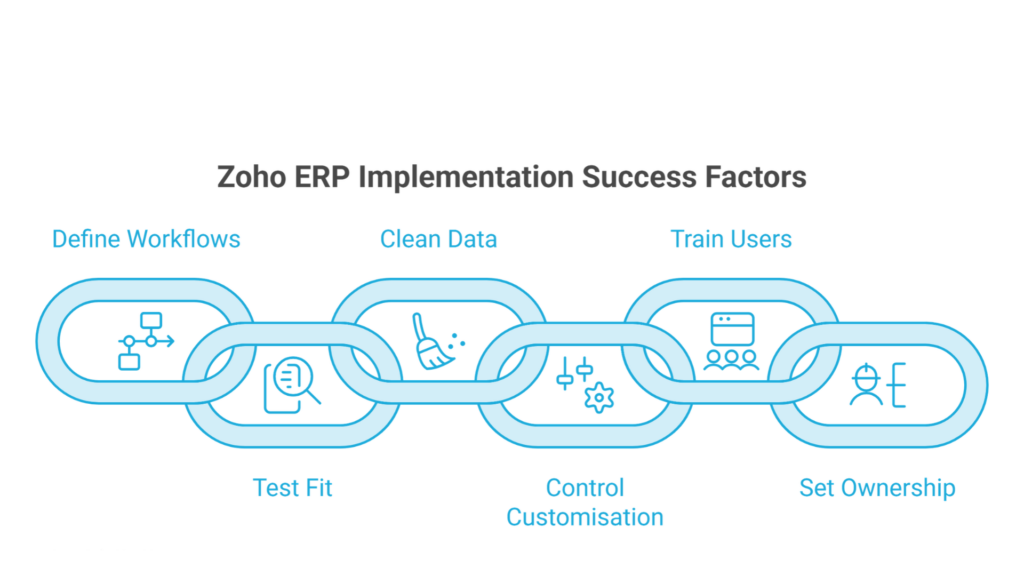
Most implementation problems are preventable when the team defines workflows, tests fit, cleans data, controls customisation, trains users and sets ownership. Use a small, measurable rollout and make every requirement testable. The strongest Zoho ERP implementation challenges and solutions plan is honest about product boundaries and gives users a dependable way to operate and improve the system.
Timing depends on data quality, number of apps, integrations, customisation and user availability. A focused inventory-and-finance phase can be much smaller than a multi-site manufacturing transformation. Ask the implementation partner to provide a milestone plan after discovery rather than promising a timeline before understanding the scope.