
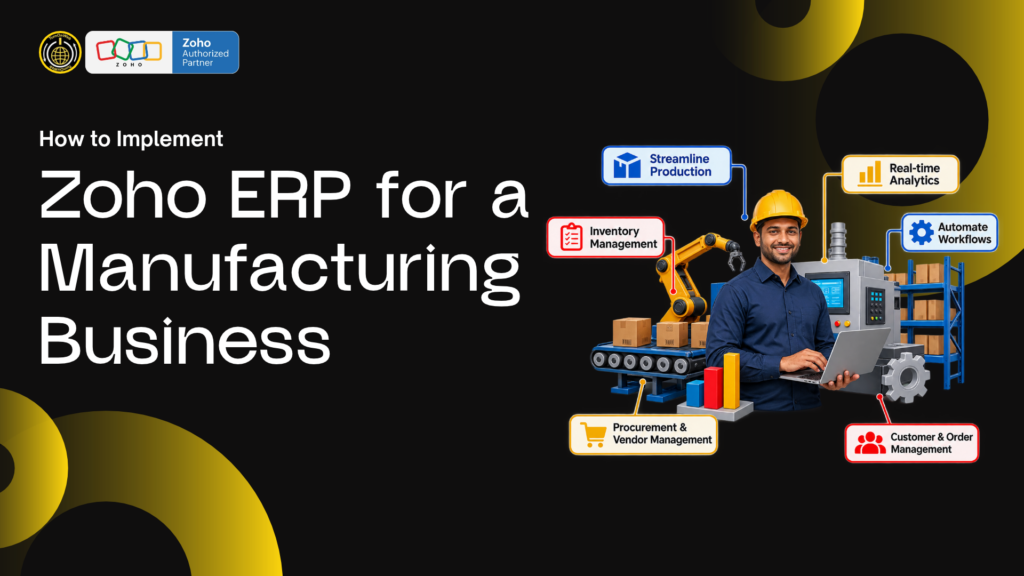
How to Implement Zoho ERP for a Small
Manufacturing Business
A small factory can outgrow spreadsheets long before it can justify a large, rigid enterprise system. The practical question is not simply how to buy ERP software; it is how to connect purchasing, inventory, production, sales and accounts without making everyday work harder. A carefully scoped Zoho ERP implementation for small manufacturing businesses can bring those processes together, provided the chosen Zoho apps match the actual production model.
“Zoho ERP” is often used as shorthand for an ERP-style system assembled from Zoho applications. It is not a single manufacturing package with every production control automatically included. Zoho Inventory supports purchasing, sales, warehouses, tracking and assemblies; more complex production planning, multi-level bills of materials (BOMs), routing, machine capacity or shop-floor capture may require a Zoho Creator application, another manufacturing system, or a different ERP. Confirm the fit before committing.
1. Map the way the factory actually works
Start with a process map, not a software demo. Follow one real product from customer enquiry to dispatch, and write down who performs each step, what data they use and where delays or duplicate entries occur.
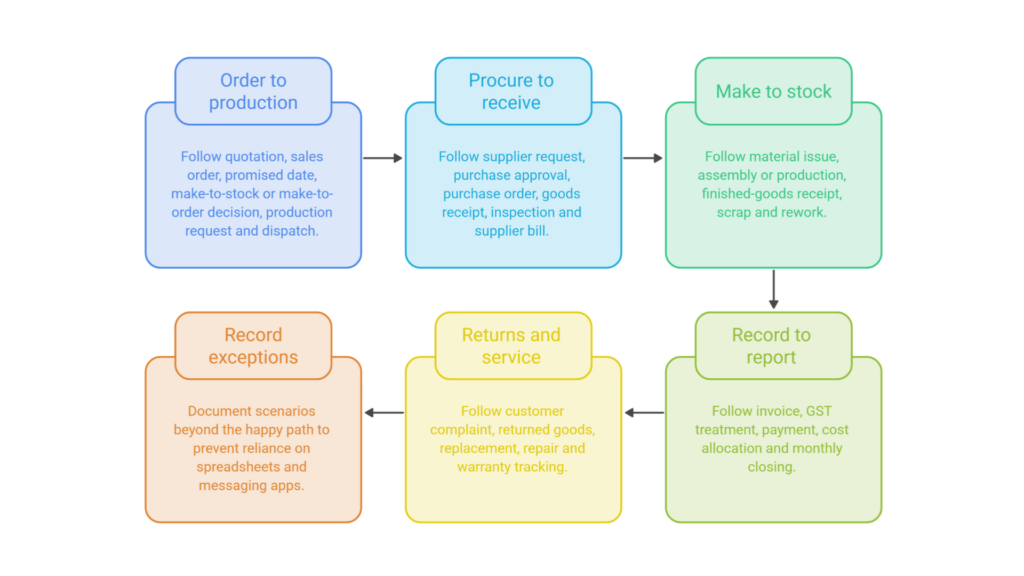
Include the following flows:
- Order to production: quotation, sales order, promised date, make-to-stock or make-to-order decision, production request and dispatch.
- Procure to receive: supplier request, purchase approval, purchase order, goods receipt, inspection and supplier bill.
- Make to stock: material issue, assembly or production, finished-goods receipt, scrap and rework.
- Record to report: invoice, GST treatment, payment, cost allocation and monthly closing.
- Returns and service: customer complaint, returned goods, replacement, repair and warranty tracking.
Record exceptions too. A system that handles only the “happy path” will push staff back to WhatsApp messages and spreadsheets as soon as a supplier is late or a batch fails inspection.
2. Decide whether you need inventory control or production planning
This is the most important fit check for a manufacturer. If your process is a simple assembly—combine known stock components into a finished item—Zoho Inventory’s assemblies or composite-item workflow may be suitable. The feature consumes component stock and increases finished-item stock. It can be a good starting point for a small workshop, assembler, packer or business with straightforward kits.
If production needs multi-level BOMs, planned work orders, operation sequences, labour or machine capacity, quality holds, by-products, yield variance or traceability through each production stage, write those requirements down as acceptance criteria. Do not assume a basic assembly feature replaces a manufacturing execution or MRP system. Zoho Creator can be used to build tailored manufacturing workflows and connect them with other Zoho applications, but the custom app needs design, testing and ongoing ownership.
A small business should compare three practical choices:
- Zoho apps with standard features: best where inventory and simple assembly are enough.
- Zoho apps plus a custom Creator app: suitable when the processes are distinctive and the business can maintain a defined custom solution.
- Dedicated manufacturing ERP integrated with Zoho: suitable where planning, shop-floor control, costing or compliance demands are beyond the selected Zoho setup.
3. Set measurable goals and a first-phase scope
Choose a short list of results that matter. Examples include knowing available stock by warehouse, reducing order-entry duplication, tracking purchase commitments, closing books faster, or seeing which jobs are delayed. Give each target an owner and a baseline.
Keep phase one small enough to finish and test. A reasonable initial scope might include Zoho Books, Zoho Inventory, customers and suppliers, item masters, purchasing, sales orders, stock locations, invoices, and one representative assembly flow. Add ZohoCRM, Zoho analytics, Creator, payroll, or advanced automation only when there is a clear business case and an owner.
Write down what is out of scope. That is not a limitation to hide; it protects the project from expanding into an undefined factory-wide transformation before basic data and workflows work reliably.
4. Clean master data before importing it
Poor master data creates errors that look like software defects. Review the records already held in spreadsheets or accounting tools and agree on one version of each record.
Prepare a controlled list of:
- Raw materials, bought-out parts, work-in-progress items, finished goods and services.
- SKU or item codes, descriptions, units of measure, HSN/SAC codes and tax settings.
- Suppliers, customer billing and shipping details, GSTINs and payment terms.
- Warehouses, stock locations, opening quantities and stock valuation method.
- Assembly components and quantities, only where the standard assembly workflow is appropriate.
- Open purchase orders, sales orders, receivables, payables and outstanding credits.
Remove duplicate item names, standardise units such as pieces, kilograms and metres, and identify inactive records. Agree on how item codes are created so new products do not become “New Part Final v2” in the system. Test imports with a small sample and reconcile totals before loading opening balances.
5. Configure the connected Zoho applications
Design the system around the chosen process map. For many smaller manufacturers, Zoho Books and Zoho Inventory are the core operational and finance applications. Confirm subscription plans and regional availability for every required feature before configuration. Zoho CRM may manage enquiries and quotations; Zoho Analytics can support management reporting; Zoho Creator or an external tool may handle additional manufacturing steps.
Decide which application owns each key record. For example, item and stock transactions should not be independently maintained in multiple places. Map fields and IDs across applications, define the customer and supplier lifecycle, and set permissions by job role. Restrict access to financial adjustments and master-data changes. Configure GST, invoice templates, approval rules and user access with a qualified finance professional where tax or accounting treatment needs confirmation.
6. Build and test a real end-to-end transaction
Do not test isolated screens only. Run a complete sample transaction using realistic data:
- Enter an enquiry or sales order.
- Check stock availability and promised delivery date.
- Raise a purchase order for a short component if required.
- Receive and inspect the purchased material.
- Issue or assemble components into a finished item if the production model supports it.
- Dispatch the finished goods and create the invoice.
- Record payment and confirm the accounting impact.
- Review stock, order status and relevant reports.
Test normal cases and exceptions: partial delivery, cancelled order, rejected material, unit conversion, sales return, supplier substitution and a stock adjustment. Reconcile stock and accounting totals against expected results. Keep a defect log with the issue, business impact, owner and retest status.
7. Train each role and prepare the cutover
Train people on the tasks they perform, using your actual item names and documents. A storekeeper needs to practise receiving, transfers, batches and stock counts. A purchaser needs to handle supplier records, purchase approvals and receipts. Accounts staff need to reconcile invoices, bills and payments. A manager needs to read dashboards and resolve exceptions.
Before go-live, select a cutover date, freeze or control edits to old records, take exports and backups, load approved opening balances, and reconcile the results. Avoid running two systems indefinitely. If a short parallel period is required, define what gets entered in each system and when it ends.
8. Review after launch
For the first few weeks, hold brief check-ins and review a small set of indicators: order fulfilment, purchase delays, stock accuracy, unbilled dispatches, overdue receivables and user-reported problems. Do not add automation until the underlying process is stable. Update user instructions when a workflow changes and maintain a record of custom functions, integrations and administrator access.
Choosing a Pune implementation partner
A capable Zoho ERP implementation company in Pune should ask detailed questions about products, production steps, costing, stock traceability, GST, integrations and who will own the system after launch. Ask for a process workshop, a written scope, a data migration plan, test scenarios, training deliverables and post-go-live support terms.
TurnOnWeb Solutions presents Zoho ERP, Books and Inventory implementation services and lists its Pune office on its website. Use a discovery call to confirm manufacturing experience, the specific production requirements it can cover, whether custom Creator development is included, and how any third-party software will connect. A good proposal should explain boundaries as clearly as its features.
Businesses comparing providers in Mumbai, Bengaluru, Delhi, Hyderabad or Chennai can work remotely with a Pune-based team if the project has clear workshops, documentation and support hours. Search phrases such as “best Zoho ERP implementation in Pune” or “affordable Zoho ERP experts in Mumbai” may help find options, but evaluate the actual scope, experience and references rather than relying on a marketing label.
Frequently asked questions
1. Is Zoho Inventory a complete manufacturing ERP?
It provides inventory and order-management capabilities, including assemblies for suitable workflows. A factory needing detailed production planning, work orders, routing, capacity planning or advanced quality management should verify the specific product or custom-app fit before choosing it.
2. How long does implementation take?
Timing depends on data quality, number of apps, integrations, customisation and user availability. A focused inventory-and-finance phase can be much smaller than a multi-site manufacturing transformation. Ask the implementation partner to provide a milestone plan after discovery rather than promising a timeline before understanding the scope.
3. What should a small factory do first?
Map one order-to-delivery process, clean item and supplier records, define success measures and test the production requirements against standard features. This gives you a grounded scope and makes vendor comparisons more useful.
Conclusion
A successful small-factory rollout begins with process fit, clean data and a modest first phase. Use standard Zoho applications where they cover the work, and identify production requirements that need a custom or dedicated manufacturing system. With clear responsibilities, realistic tests and role-based training, a Zoho ERP implementation for small manufacturing businesses can improve visibility while keeping the system manageable.



- QUICK LINKS
TurnOnWeb Solutions - Zoho's Partner